![[Eclipese] 이클립스 오류 해결 - Obsolete Methods on the Stack](https://develog.co.kr/wp-content/uploads/2024/09/프로그래머스-1.png)
문제 상황
이클립스에서 코드 실행중에 아래 오류를 발견했다.
Obsolete Methods on the Stack
~~ at localhost:OOOOO contains obsolete methods.

Reason : The virtual machine was unable to remove all stack frames running old code from the call stack. The virtual machine is not supplying the debugger with valid data for those frames. Stepping into these obsolete frames may be hazardous to the target virtual machine.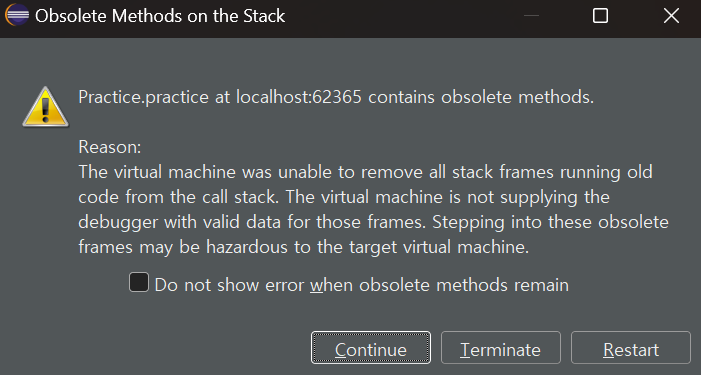
Restart를 누르면 해결된다는 글도 있었지만 똑같은 오류 창이 계속 발생했다…
해결 방법
해결 방안은 총 2가지로 아래와 같다.
- 이클립스의 실행 단축키에서 ‘Ctrl + F11’ 은 ‘디버깅 없이 실행’이고 ‘F11’ 은 디버깅 실행이다. 실행할 때마다 ‘Ctrl + F11’을 눌러 실행시키면 된다.
- 이클립스에서 windows – Preferences – Debug – Hot Code Replace 에서 4번째 항목을 체크 해제 한 뒤 ‘F11’을 눌러도 더 이상 위 오류가 보이지 않게 된다.
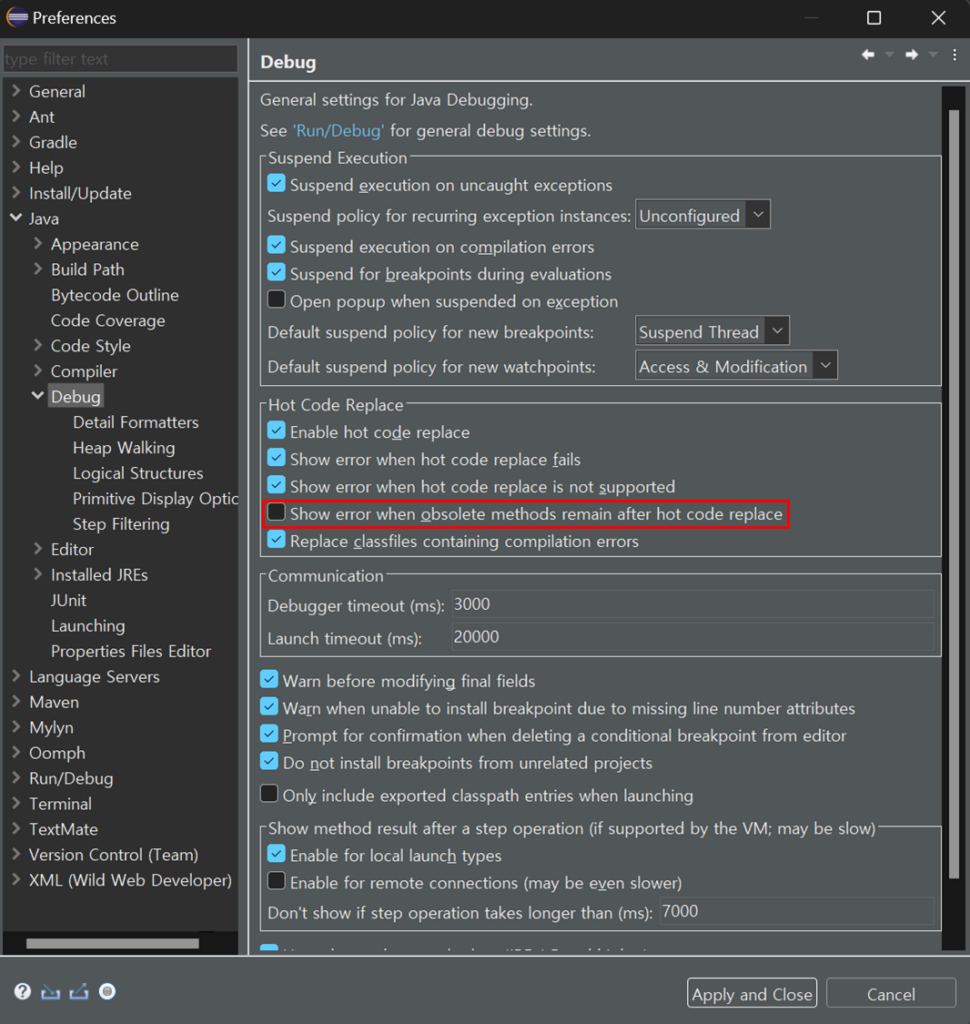
참고
최신글
![[프로그래머스] 잘라서 배열로 저장하기 - 자바](https://develog.co.kr/wp-content/uploads/2025/01/프로그래머스-잘라서-배열로-저장하기-자바-150x150.png)
![[프로그래머스] 붕대 감기 - 자바](https://develog.co.kr/wp-content/uploads/2024/11/프로그래머스-붕대-감기-자바-150x150.png)
![[프로그래머스] 달리기 경주 - 자바](https://develog.co.kr/wp-content/uploads/2024/11/프로그래머스-달리기-경주-자바-150x150.png)